 Available in US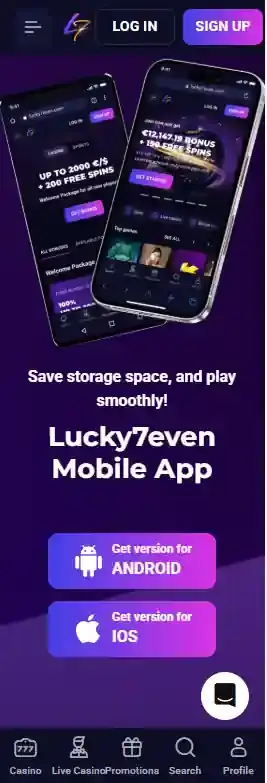
Is there a Lucky7even app?
Yes in the everyday sense that Lucky7even offers an installable icon and app-like launch experience, but the technical description is a progressive web app. A PWA is delivered from the website and installed through browser controls. It can appear on the home screen and launch in a dedicated window, yet it is not automatically the same thing as software downloaded from Apple’s App Store or Google Play.
The current official installation page explicitly calls the product a mobile application while giving web-app installation steps. That is why the safest wording is “Lucky7even web app” or “PWA”. The current installation instructions describe a web app rather than a native store app.
If you do not want to install anything, the official FAQ says the casino games are mobile-friendly and can be launched by opening Lucky7even in a mobile browser. For many users, that is functionally the simplest option because it avoids maintaining a separate installed shortcut.
How the Android installation works
Lucky7even’s current Android instructions are browser-based. First, open the Lucky7even home page on the phone. Then open the browser’s three-dot menu, select “Install app” and confirm the installation. The resulting icon behaves more like an installed application than an ordinary bookmark because the site can launch in an app-style window when the browser supports PWA installation.
This process also explains why there is no need to download an APK from an unofficial source. The official flow starts from Lucky7even’s own website and uses the browser’s installation feature. That is a useful authenticity check: if a third-party page tells you to sideload a file that the official install page does not require, it is not the installation method described by Lucky7even.
How the iPhone installation works
On iPhone, the current Lucky7even instructions use the standard home-screen web-app flow. Open the site, tap the Share control in the browser, choose “Add to Home Screen”, then confirm with “Add”. The shortcut is placed on the iPhone home screen and can be launched from there.
This does not mean Lucky7even has an App Store listing. It is an installation path built into the browser. The distinction is practical rather than merely semantic: updates, permissions and distribution follow the web experience rather than the conventional App Store model.
What the mobile casino includes
Lucky7even’s game catalogue includes pokies, jackpots, table games, live casino, game shows and poker, and the official FAQ says its games are mobile-friendly. In practical use, the mobile version is designed to expose the same broad casino categories through a narrower screen rather than creating a separate small mobile-only catalogue.
For pokies, the main mobile issue is discovery. A large catalogue can become cumbersome on a phone if navigation is poor, so provider filters, search and category routes matter more than flashy design. See mobile pokies and games for library structure and Australian provider restrictions.
Live casino also works as a mobile use case because blackjack, roulette, baccarat, game shows and poker are already split into meaningful categories. The dedicated live games on mobile page examines the currently visible studios and tables. On a phone, screen space and connection stability have more impact than on desktop, especially for video-heavy dealer streams.
Cashier access on mobile
The mobile experience includes access to account functions as well as games. Lucky7even’s public AU payments material supports cards, e-wallets and cryptocurrencies, with exact availability varying by country and account. See mobile payments for the current Australian-facing method list and AUD minimums.
Using a phone does not change the underlying withdrawal or KYC rules. If an account is asked for identity documents or a payment method is unavailable in the cashier, installing the PWA will not bypass that requirement. The mobile layer is an interface choice, not a separate account or payments system.
PWA versus native app: what changes for the user?
| Question | Lucky7even current setup | Why it matters |
|---|---|---|
| Where does installation start? | The Lucky7even website | Use the official site rather than searching for an unrelated download file. |
| Android installation | Browser menu, then “Install app” | This is a PWA-style flow, not proof of a Google Play app. |
| iPhone installation | Share, then “Add to Home Screen” | This is a web-app shortcut, not proof of an App Store app. |
| Can you play without installing? | Yes, through the mobile browser | The installed version is optional. |
| Game/account data | Uses the same Lucky7even service | Installing the PWA does not create a separate casino account. |
The biggest benefit of the PWA is convenience. It can sit on the home screen, reduce the friction of typing or bookmarking the site and provide a more app-like launch. The tradeoff is that users looking specifically for a conventional native store application should not assume one exists just because the site uses the word “app”.
Mobile performance and connection quality
Lucky7even’s FAQ says game speed depends on the internet connection because casino games require continuous data exchange. That is particularly relevant on mobile networks, where signal quality can change as you move. Standard pokies may tolerate short network variation better than live-dealer video, but any real-money session benefits from a stable connection.
The FAQ also notes that older devices may not support some games properly. If a game fails on one phone, that does not necessarily mean the whole mobile casino is unavailable. Browser version, device age, operating system and the individual game can all affect compatibility.
A sensible test is to browse the game lobby and open the formats you actually care about before treating installation as a reason to choose the casino. The PWA improves access convenience, but it cannot make an unsupported game compatible with an old device.
Australian access context
Lucky7even provides an English-AU localized site, but mobile presentation should not be confused with Australian licensing or regulatory approval. The broader Lucky7even Australia review explains the site’s AU targeting alongside ACMA’s enforcement and blocking action. This mobile guide does not provide instructions for bypassing ISP or regional restrictions.
The same principle applies to the installable web app. A home-screen icon changes how the site is launched; it does not change the legal or regulatory status of the underlying service and it does not guarantee reachability through every Australian network.
Which mobile option is best?
Use the mobile browser if you want the fewest steps and do not care about a home-screen icon. Install the PWA if you use the site repeatedly and want quicker launching from the home screen. In both cases, you are using the same Lucky7even web service, so choose based on convenience rather than expecting different games, bonuses or cashier rules.
If you specifically want a native App Store or Google Play product, check the current official installation page first. App distribution can change, while the current instructions describe browser/PWA installation. Deposits from a phone run through the payment methods.
Official mobile instructions
The installation flow is described on Lucky7even’s current official install-app page and its current FAQ
Using the PWA day to day
The web-app approach keeps the same general browser-based account experience while adding a home-screen shortcut. That means the practical test is not the icon itself but how comfortably the main tasks work on your device: opening the game lobby, moving between casino categories, reaching account settings and accessing the cashier.
On Android, the official flow starts in the browser and uses the browser installation option. On iPhone, the shortcut is added through the Share menu and Add to Home Screen. In both cases the installation path begins on Lucky7even’s own website, so there is no reason to obtain a separate APK or an unrelated third-party installer.
If you prefer not to install the shortcut, the mobile browser remains an option. This can be useful on a shared device or when you do not want another home-screen icon. Whichever route you use, confirm that the game category and payment function you need are available in the current AU-facing interface before relying on them. The full picture is in the Lucky7even review for Australia.
This material was created by the Lucky7even Casino team.
